Suddenly unable to login in as admin but password hash matches ?
Hi
I just installed Umbraco via Nuget into an empty ASP.Net project, ran the confguration and created some admin creds. With no issues whatsoever (eg i could log in and see settings etc)
However upon powering up the site today it seems my creds are no longer recognised when i browse to the http:\site\umbraco url.
Using the creds [Admin] and [Passw0rd123] worked when i first installed the site but these creds are no longer working. I have no idea what has changed. As far as i know i did not make any site changes.
Can anybody shed any light...i am brand new to Umbraco so apologies if this is caused by my own stupidity.
Using the following code generates the correct hash as in the dbase.
Suddenly unable to login in as admin but password hash matches ?
Hi
I just installed Umbraco via Nuget into an empty ASP.Net project, ran the confguration and created some admin creds. With no issues whatsoever (eg i could log in and see settings etc)
However upon powering up the site today it seems my creds are no longer recognised when i browse to the http:\site\umbraco url.
Using the creds [Admin] and [Passw0rd123] worked when i first installed the site but these creds are no longer working. I have no idea what has changed. As far as i know i did not make any site changes.
Can anybody shed any light...i am brand new to Umbraco so apologies if this is caused by my own stupidity.
Using the following code generates the correct hash as in the dbase.
My dbase table looks like this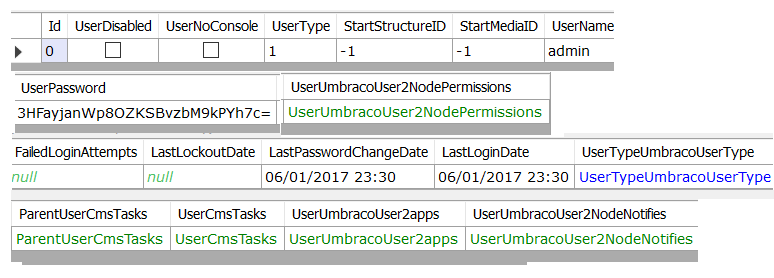
Hi Steve,
Can you clear your browser cookies for the site ? Maybe a invalid cookie is stored for your website.
Dave
I am so embarrassed.. I was using the username [admin] not the admin account name [abc@abc.com] when i was trying to login.
So sorry to have wasted peoples time on this. This can be closed
Thanks
is working on a reply...
This forum is in read-only mode while we transition to the new forum.
You can continue this topic on the new forum by tapping the "Continue discussion" link below.