Umbraco version: 4.0.2.1 .Net Framework 3.5 SP1 Windows Server 2003 SP2 Stacktrace: I do not know
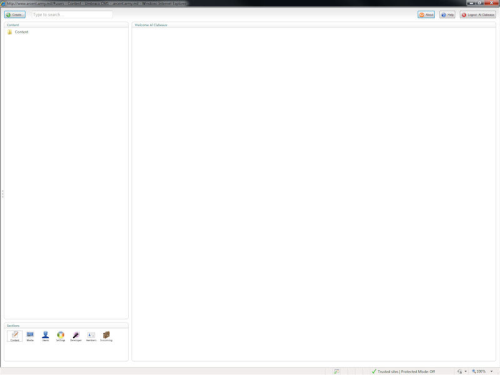
I logged into umbraco and I am only able to see the root folder in each of the sections. None of the nodes are being displayed. The last time I logged in prior to today was on Friday, 17SEP2010 and it was working fine. I have already tried restarting IIS, recycling the application pool, and rebooting the web server. Does anyone have any suggestions for me? Attached is a screenshot of what I see when logged in to umbraco. Thanks, in advance, for any assistance.
I am having the same problem with a new install (first time user). My screen looks exactly the same and clicking any menu options have no effect. I installed again and the same thing happened.
I have a feeling its some kind of a permissions problem. I am using Windows Server 2008 with Enkompass(cpanel). I did install using WPI. Does anyone know of any installation issues with Win 2008/Enkompass and Umbraco?
Thanks for the reply. The Netwok Service was not even on the folders. I added it but it and set for full control but it did not have any affect on the issue. I am going to check with cpanel and see what they may have done that would prevent applications installed with WPI from working properly.
It turned out that one of the group policies implemented on our network was the issue. We are currently working to figure out which policy is causing the problem.
Nodes not displaying in umbraco
Umbraco version: 4.0.2.1
.Net Framework 3.5 SP1
Windows Server 2003 SP2
Stacktrace: I do not know
I logged into umbraco and I am only able to see the root folder in each of the sections. None of the nodes are being displayed. The last time I logged in prior to today was on Friday, 17SEP2010 and it was working fine. I have already tried restarting IIS, recycling the application pool, and rebooting the web server. Does anyone have any suggestions for me? Attached is a screenshot of what I see when logged in to umbraco. Thanks, in advance, for any assistance.
Al
CTRL+F5 your browser.
I am having the same problem with a new install (first time user). My screen looks exactly the same and clicking any menu options have no effect. I installed again and the same thing happened.
I have a feeling its some kind of a permissions problem. I am using Windows Server 2008 with Enkompass(cpanel). I did install using WPI. Does anyone know of any installation issues with Win 2008/Enkompass and Umbraco?
Hi Tom,
Please check if Network Service user has Full Control access to the following folders:
app_code
bin
config
css
data
masterpages
media
python
scripts
umbraco
usercontrols
xslt
Cheers,
Ferry Meidianto
Thanks for the reply. The Netwok Service was not even on the folders. I added it but it and set for full control but it did not have any affect on the issue. I am going to check with cpanel and see what they may have done that would prevent applications installed with WPI from working properly.
I have exactly the same issue, was working fine, then suddenly - no nodes. The website developed is working fine, just no nodes in the Panel
Tim,
It turned out that one of the group policies implemented on our network was the issue. We are currently working to figure out which policy is causing the problem.
is working on a reply...
This forum is in read-only mode while we transition to the new forum.
You can continue this topic on the new forum by tapping the "Continue discussion" link below.